Open Utility → Cancel Ticket. 1. Apply the required date filter 2. Select the Ticket Number 3. Select the Delete/Cancel option The ticket is removed from the active list and moved to the Recycle Bin.
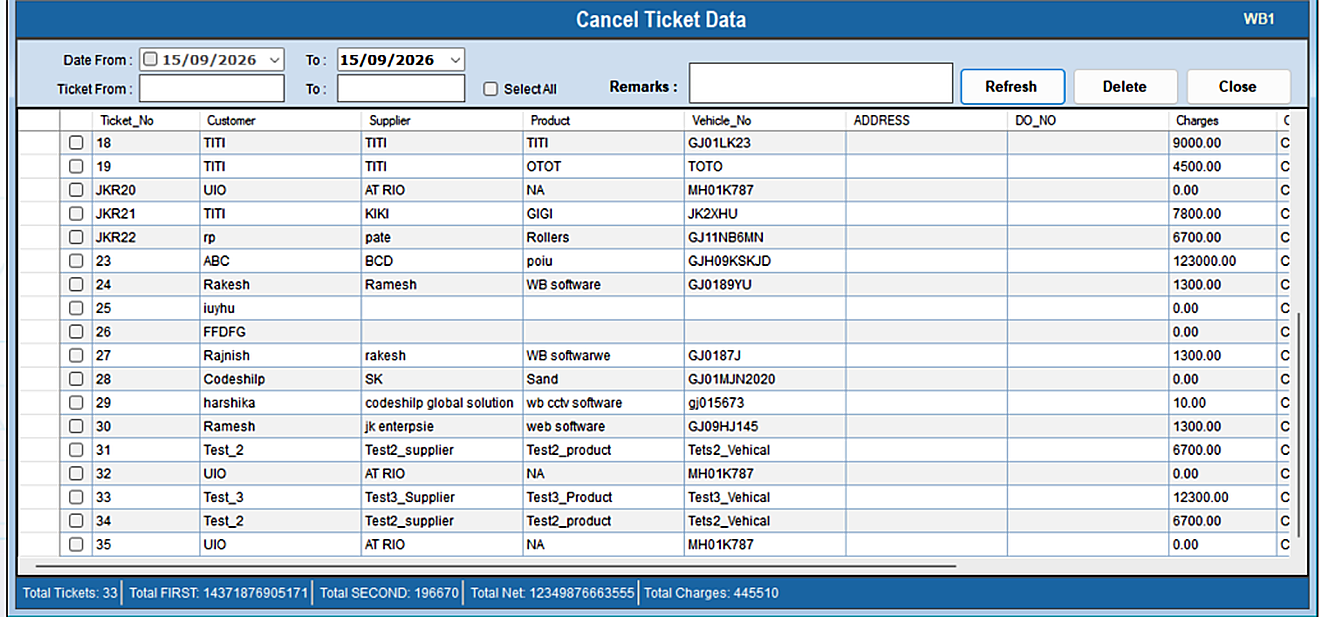
The Cancel Ticket option cancels or deletes an existing ticket.
Open Utility → Cancel Ticket. 1. Apply the required date filter 2. Select the Ticket Number 3. Select the Delete/Cancel option The ticket is removed from the active list and moved to the Recycle Bin.