CodeshilpHelp CenterWeighbridge Software
/
Help Center/Reports

Weighment Reports

Updated 21 Sept 20262 stepsWeighbridge Software

Weighment Reports cover the reports related to weighment entries.

Steps

Follow in order
1

Open Reports → Weighment Report and choose the report: • Weighment Entries Report — displays weighment transaction entries for the selected criteria and can be saved as a PDF • Customized Weighment Report — a custom format that exports directly to Excel
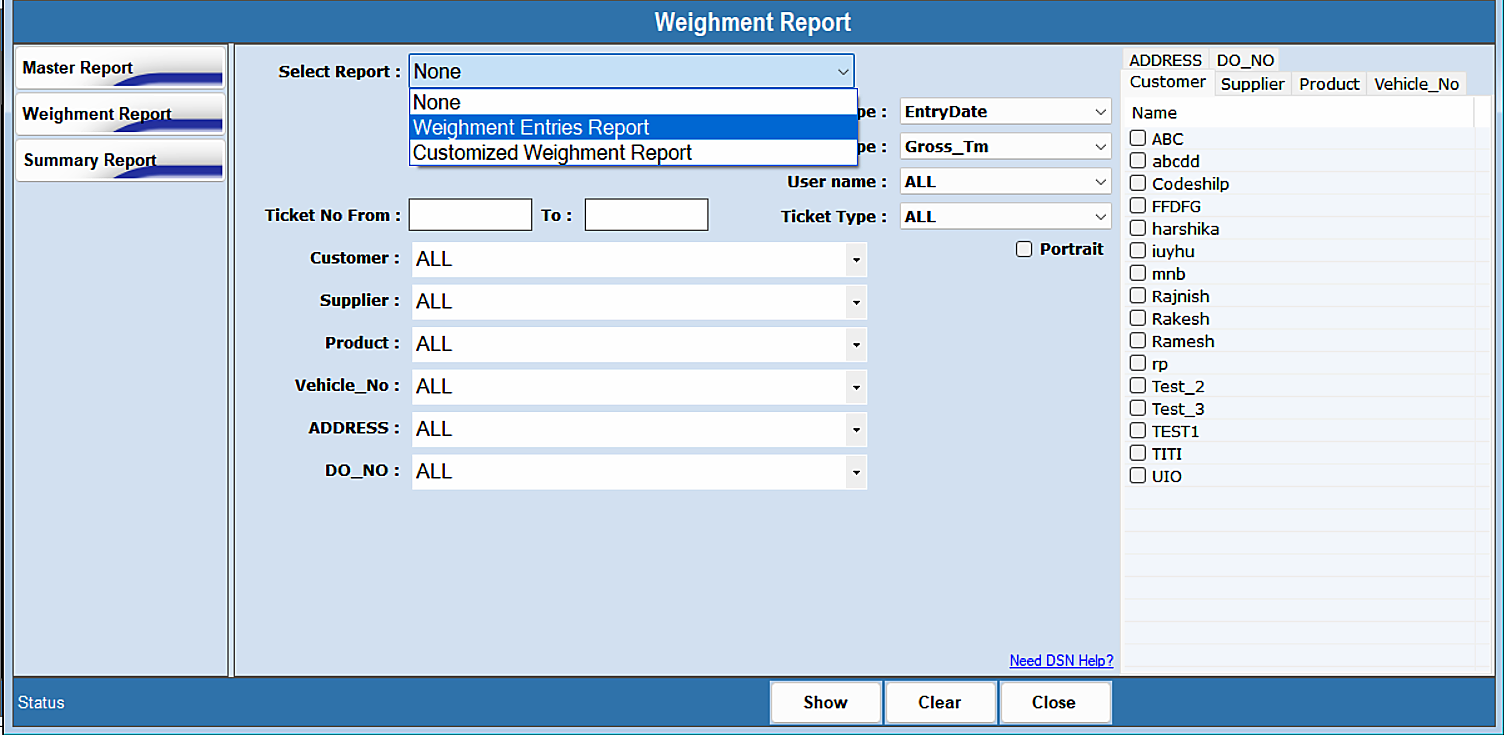
Weighment Reports — step 1
2

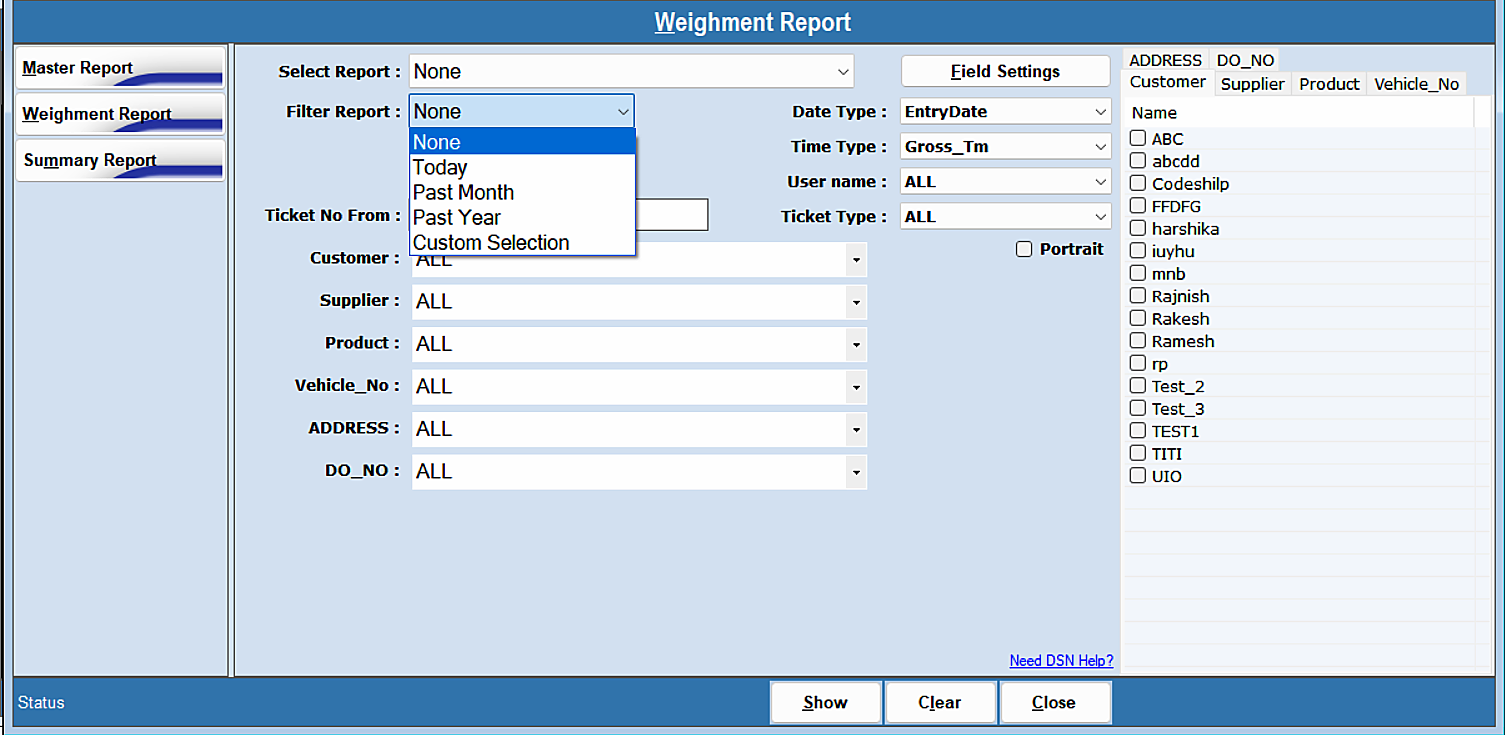
Narrow the report with the filters — Today, Past Month, Past Year or Custom Selection — along with Customer, Supplier, Product, Vehicle_No, ADDRESS and DO_NO. When filters are applied the exported report contains only the filtered data.

Weighment Reports — step 2
Was this guide helpful?
Your answer tells us which guides to rewrite first.
Still stuck?
Monday to Saturday, 8 am – 7 pm
Chat with us on WhatsApp!