CodeshilpHelp CenterWeighbridge Software
/
Help Center/Software Settings

General Settings

Updated 21 Sept 20261 stepWeighbridge Software

General Settings cover general software and system configuration.

How it works

Open Software Settings → General Setting. It includes: • PDF Save Path • Automatic PDF Ticket Saving • Date and Time Audit Reporting • Default Blank Username Login • Local Port Selection • Weighbridge Location Selection • Indicator Selection The configured indicator is selected here so the software can receive live weight data from the connected weighing indicator.
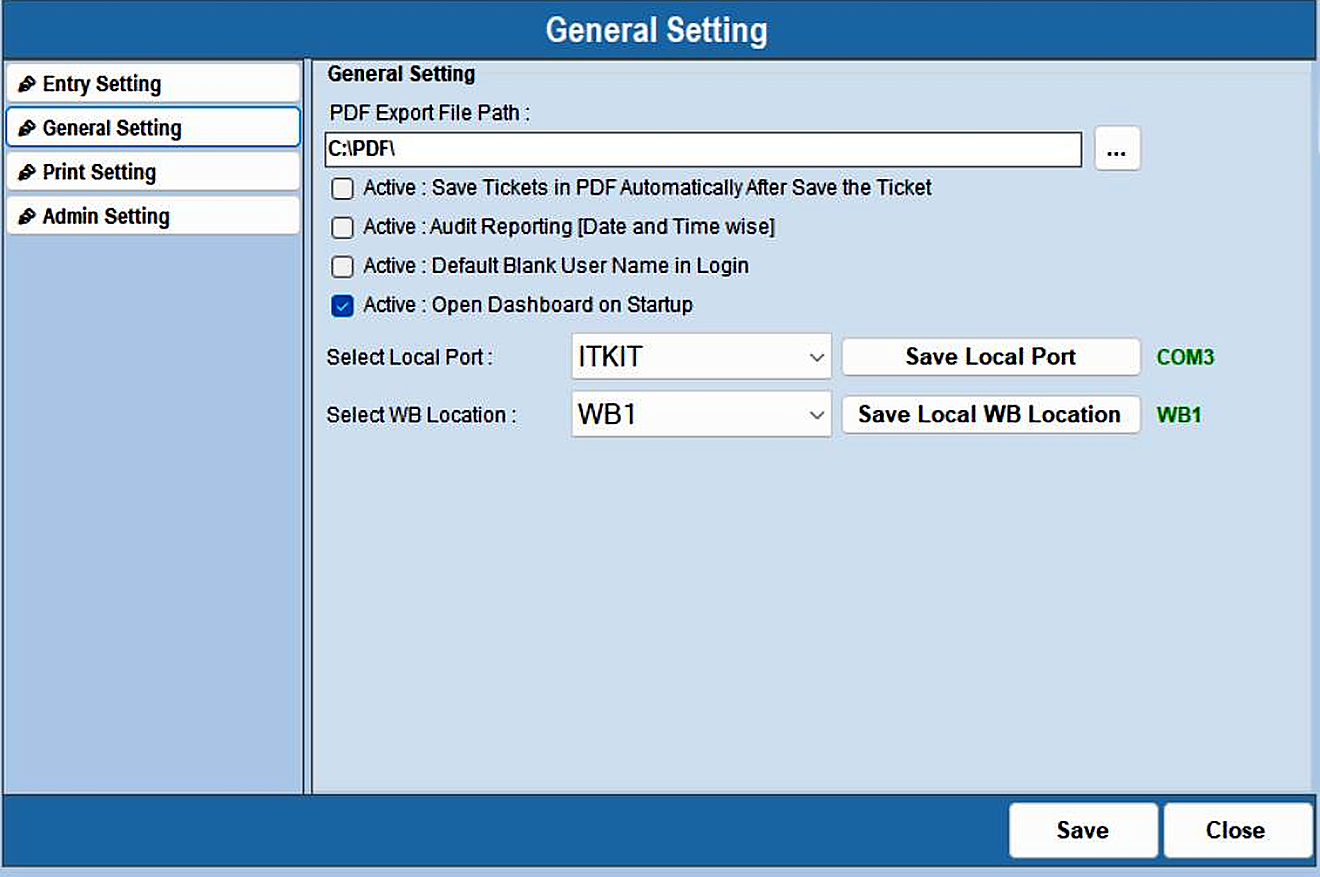
General Settings — step 1
Was this guide helpful?
Your answer tells us which guides to rewrite first.
Still stuck?
Monday to Saturday, 8 am – 7 pm
Chat with us on WhatsApp!