CodeshilpHelp CenterWeighbridge Software
/
Help Center/Role Master

Role Master

Updated 21 Sept 20263 stepsWeighbridge Software

The Role Master creates and manages user roles and assigns permissions according to each user's responsibilities.

Steps

Follow in order
1

Open Role Master and add a role. Through Role Master the administrator can: • Create different user roles • Assign specific rights and permissions to each role • Control access to different software settings • Define which settings a particular user can view or modify
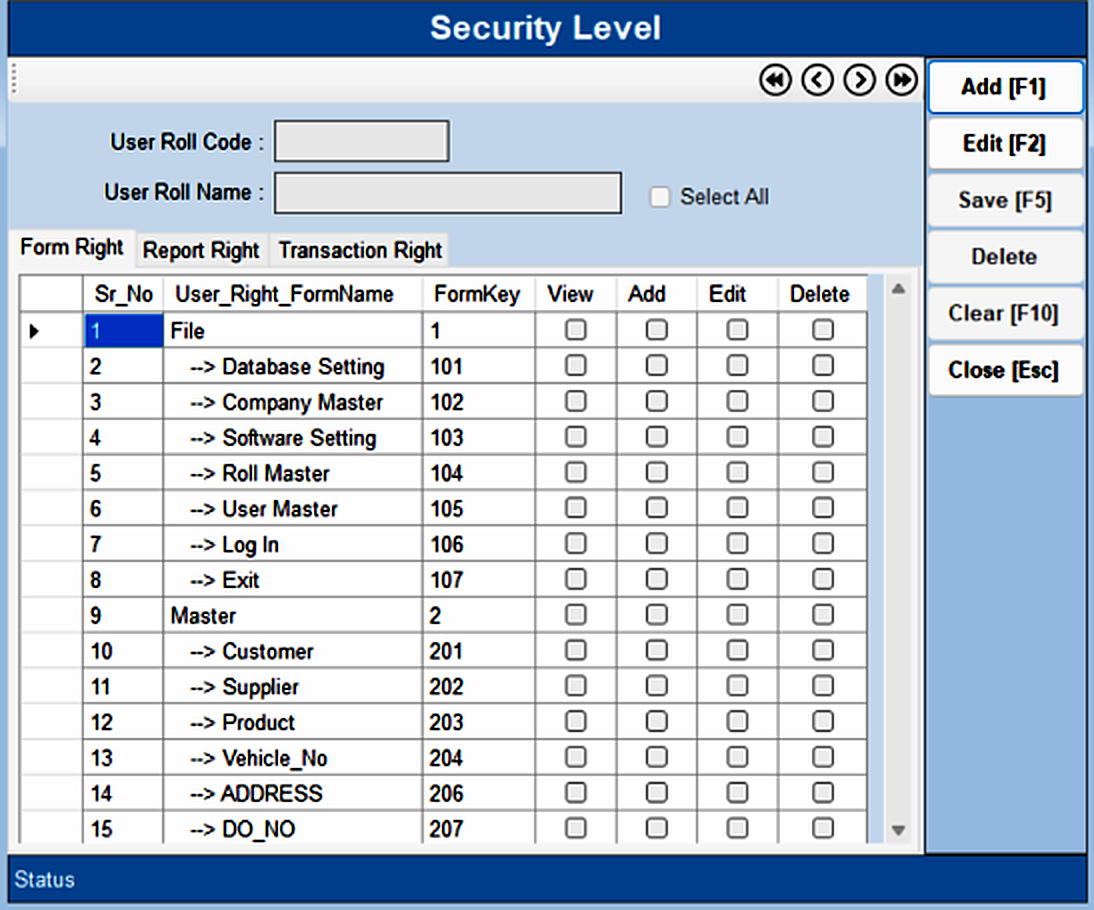
Role Master — step 1
2

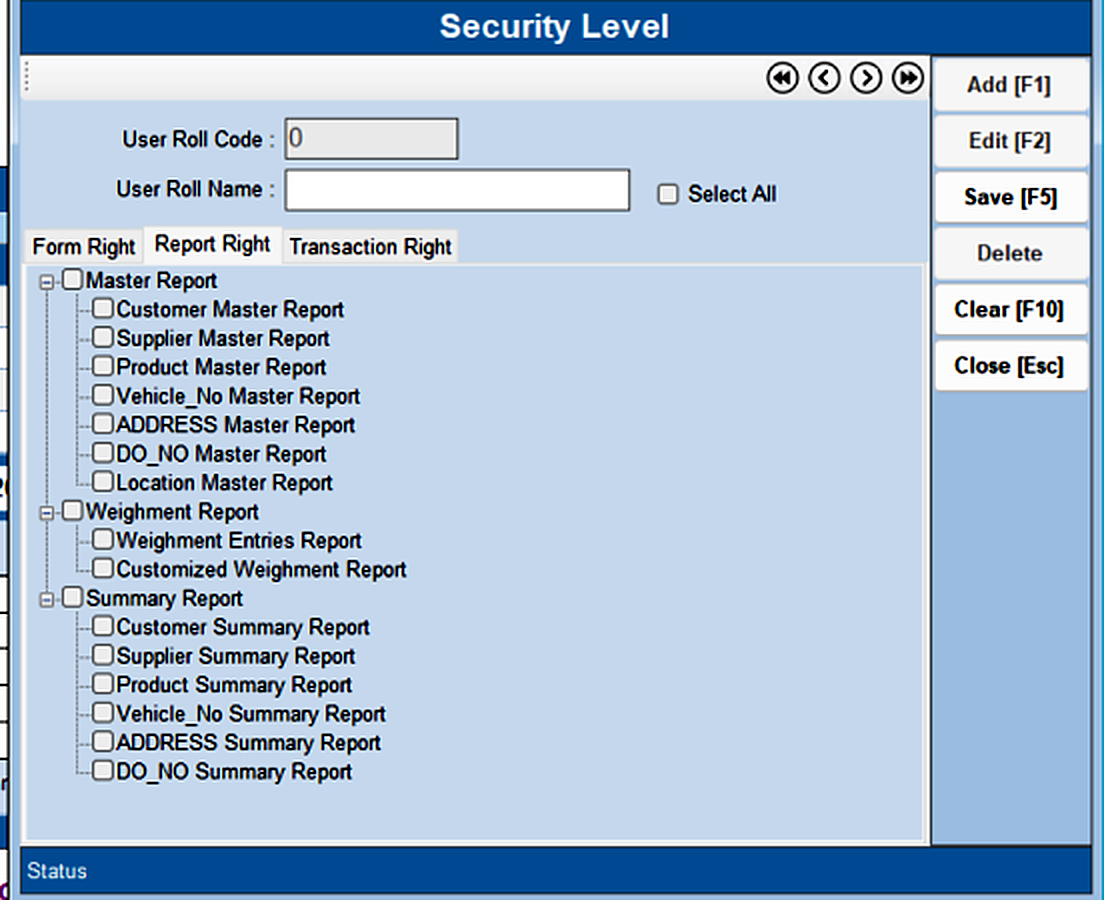
The Report Right tab controls report-wise access — Master Reports, Weighment Reports and Summary Reports can each be allowed or blocked for the role.

Role Master — step 2
3

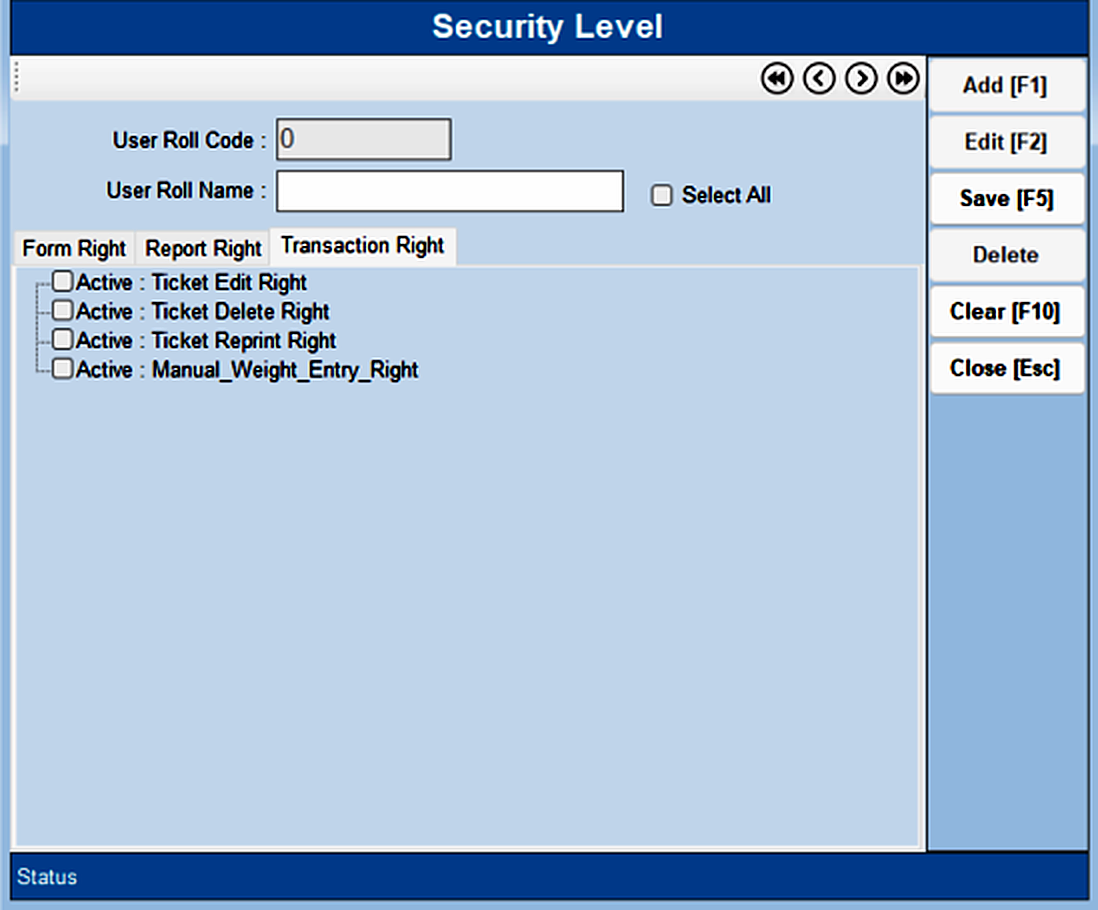
The Transaction Right tab controls transaction-wise access: • Manual Weight Entry • Reprint Weight Ticket • Edit Weight Ticket • Delete Weight Ticket Tick the rights this role should have and press Save [F5].

Role Master — step 3
Was this guide helpful?
Your answer tells us which guides to rewrite first.
Still stuck?
Monday to Saturday, 8 am – 7 pm
Chat with us on WhatsApp!