CodeshilpHelp CenterWeighbridge Software
/
Help Center/Software Settings

Entry Settings

Updated 21 Sept 20262 stepsWeighbridge Software

Entry Settings configure and modify the Weighbridge Entry Form according to your requirements.

Steps

Follow in order
1

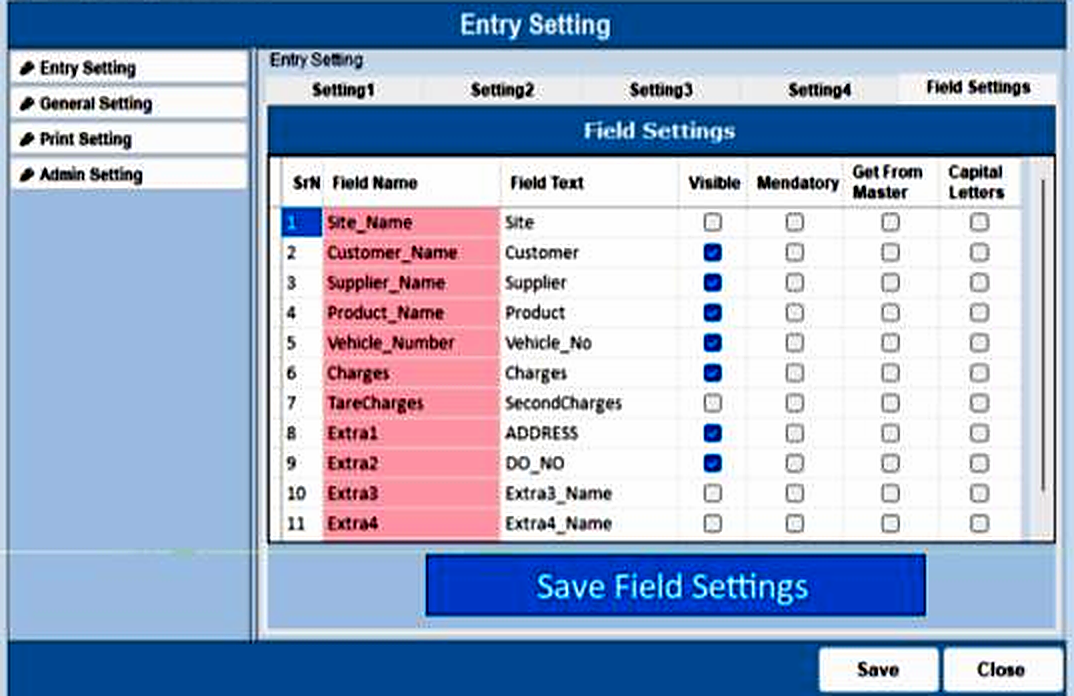
Open Software Settings → Entry Setting. The tabs cover: • Setting 1 and Setting 2 — modifications and configuration in the weighment form • Setting 3 — UPI Payment QR Code configuration and weight name modification • Field Settings — entry field names, compulsory fields and Gate Pass integration
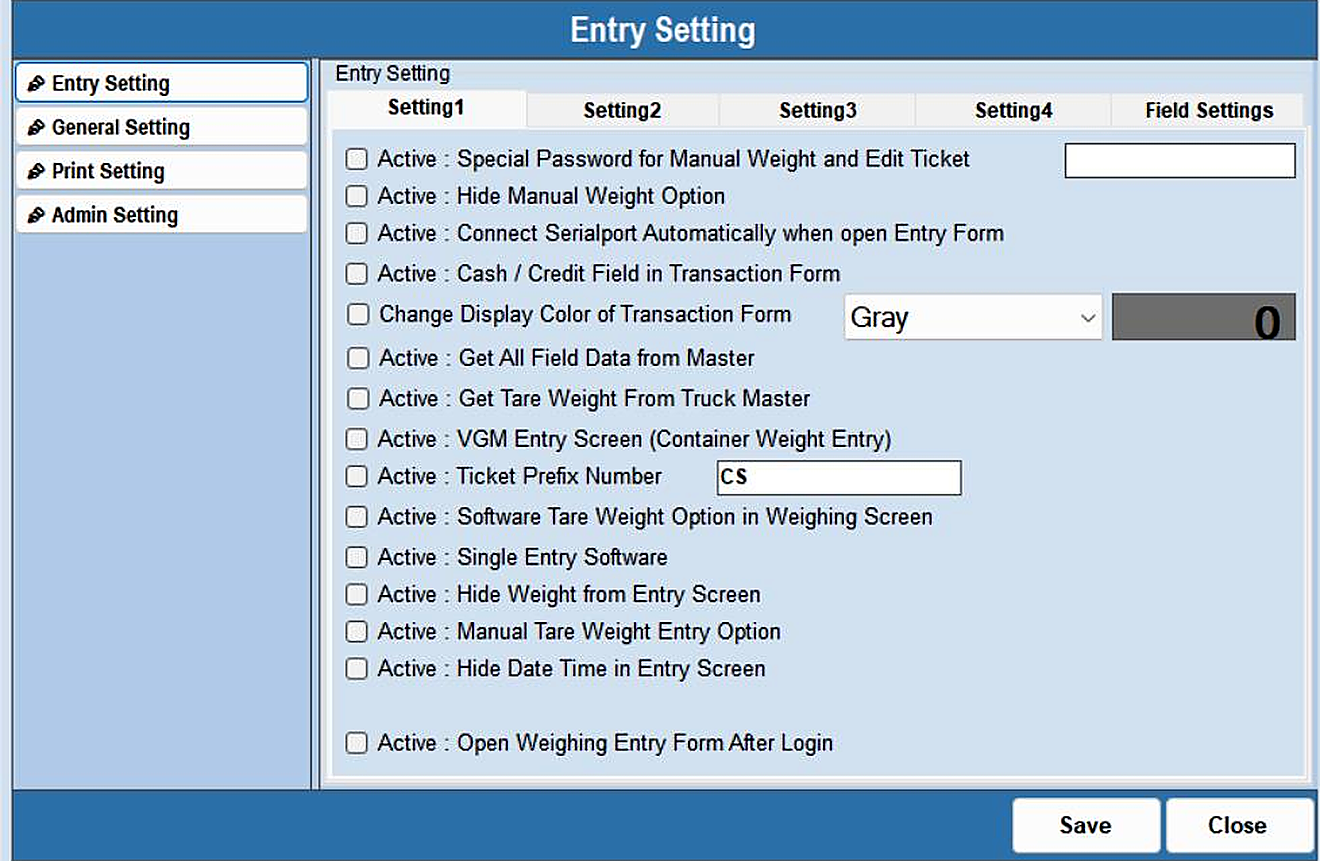
Entry Settings — step 1
2

In Field Settings you can set, for each field, whether it is Visible, Mandatory, fetched from the master (Get From Master) or forced to Capital Letters. Click Save Field Settings when done.

Entry Settings — step 2
Was this guide helpful?
Your answer tells us which guides to rewrite first.
Still stuck?
Monday to Saturday, 8 am – 7 pm
Chat with us on WhatsApp!