CodeshilpHelp CenterWeighbridge Software
/
Help Center/Reports

Summary Reports

Updated 21 Sept 20261 stepWeighbridge Software

Summary Reports provide summarised information based on the different available fields.

How it works

Open Reports → Summary Report. 1. Select the required summary from the dropdown — Customer, Supplier, Product, Vehicle_No, ADDRESS or DO_NO Summary Report 2. Apply the required filters 3. Click Show Tick Summary with Details to include the underlying transactions.
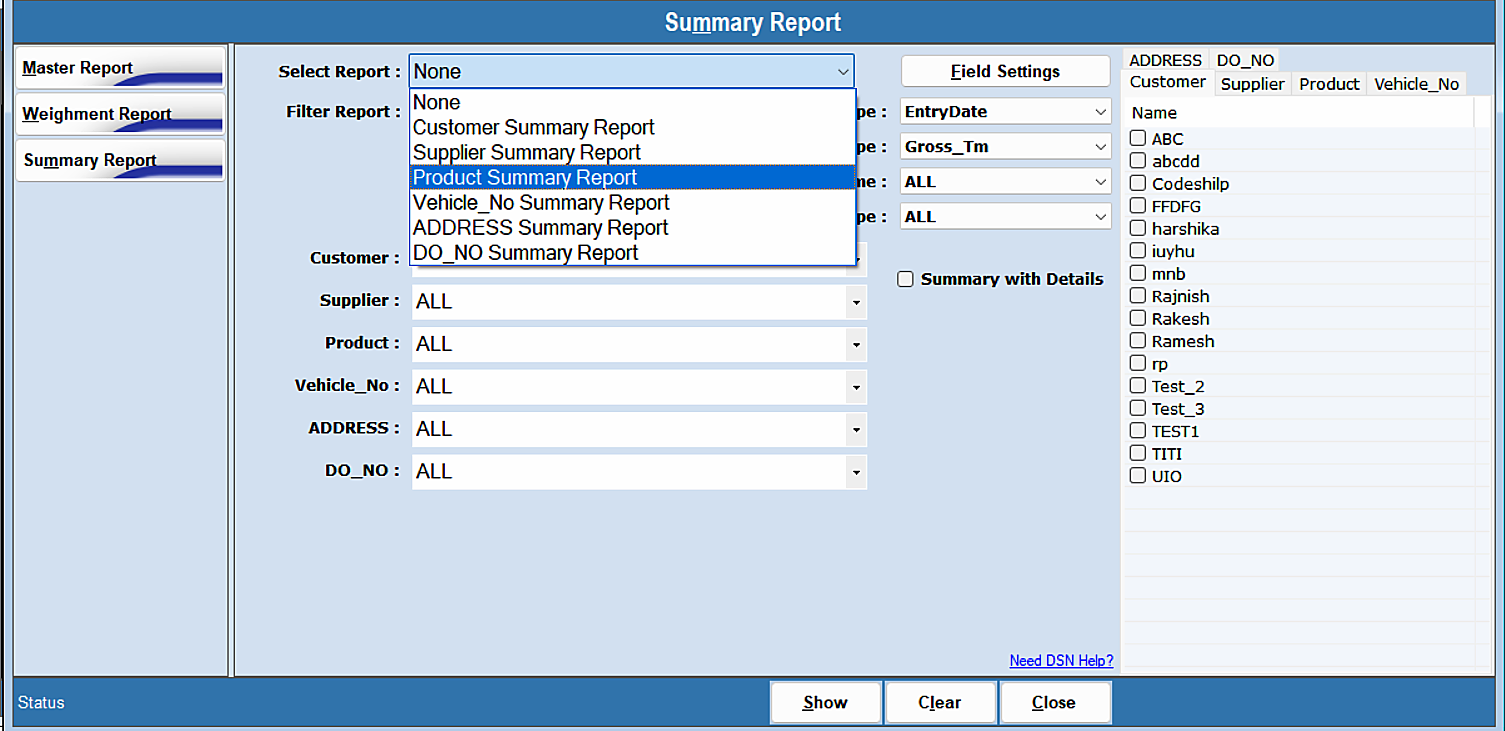
Summary Reports — step 1
Was this guide helpful?
Your answer tells us which guides to rewrite first.
Still stuck?
Monday to Saturday, 8 am – 7 pm
Chat with us on WhatsApp!