CodeshilpHelp CenterWeighbridge Software
/

Upload Ticket

Updated 21 Sept 20261 stepWeighbridge Software

The Upload Ticket option imports ticket data from an Excel file.

How it works

Open Excel → Upload Ticket. 1. Select Export Format to generate the required Excel template 2. Fill the ticket data into that Excel file and save it 3. Set the file path in the software 4. Select Refresh The data in the Excel file is imported. Imported and Not Imported rows are colour-coded at the bottom of the screen.
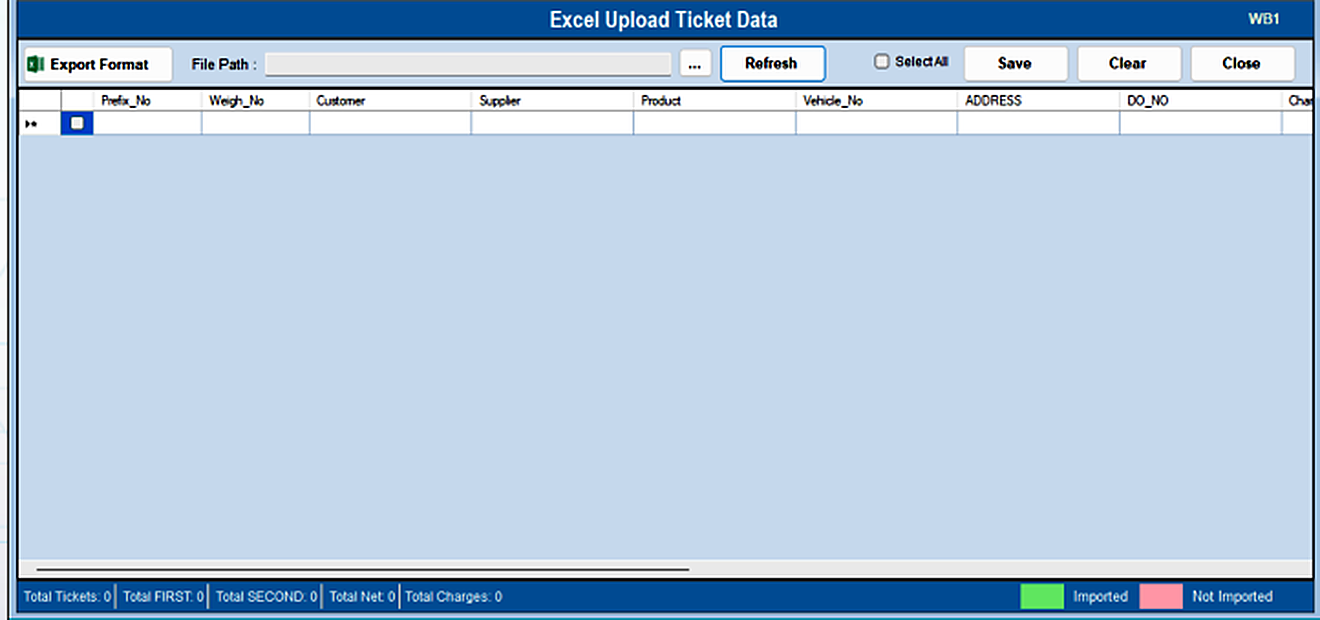
Upload Ticket — step 1
Was this guide helpful?
Your answer tells us which guides to rewrite first.
Still stuck?
Monday to Saturday, 8 am – 7 pm
Chat with us on WhatsApp!